Tours · Schedule Management

Schedule Management for Tour Operators

Tour schedule management dashboard

Build seasonal schedules, manage timeslots and capacity, and override any day on the fly — all without touching a spreadsheet.

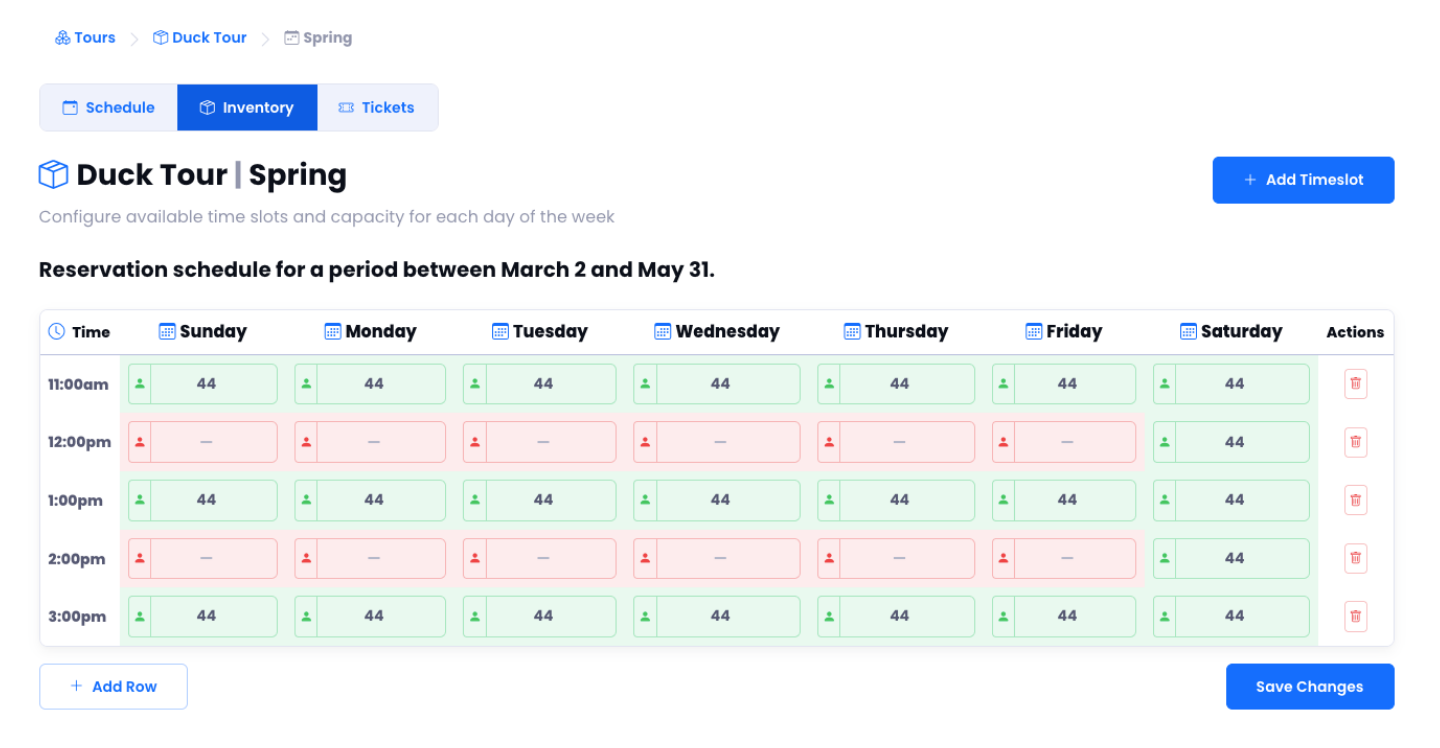
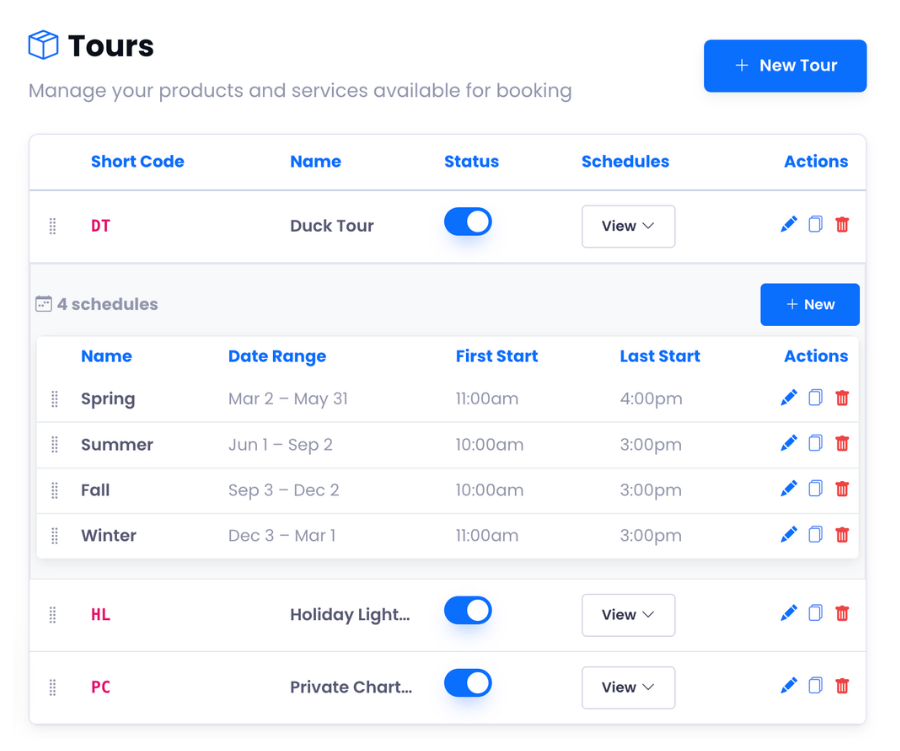
Seasonal schedules

Set peak, off-season, and holiday schedules independently. Copy between seasons in one click.

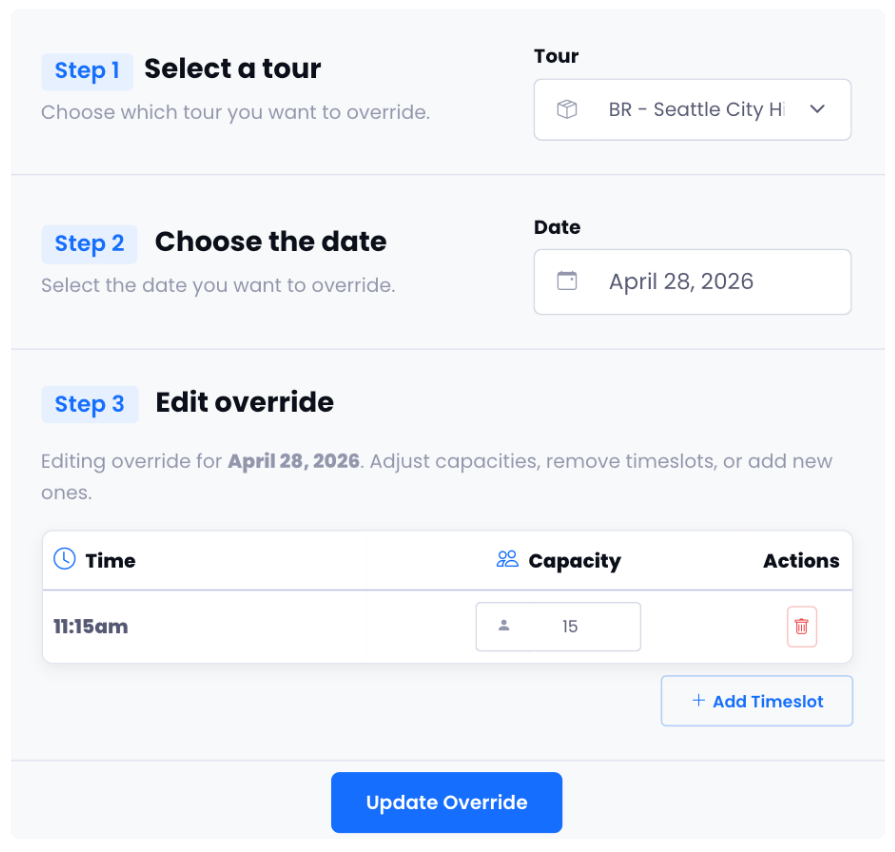
Date-specific overrides

Close a slot, bump capacity, or add a one-off tour for any date without changing your base schedule.

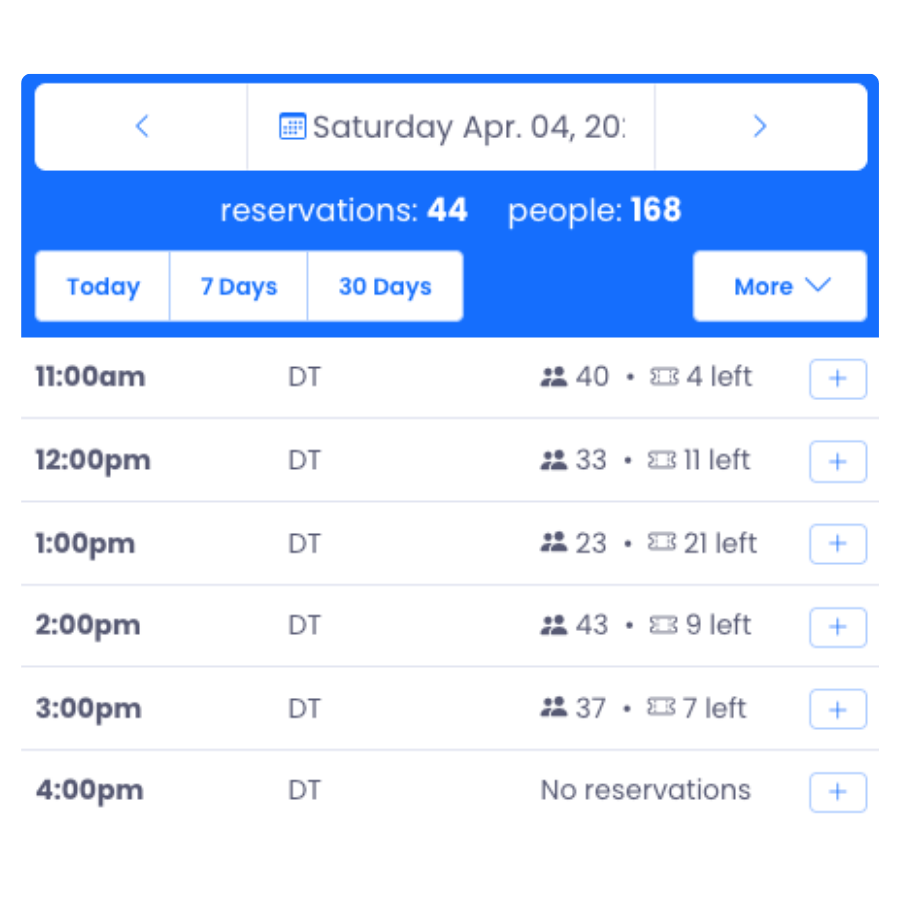
Daily summary view

See every timeslot, party count, and spots remaining at a glance. Click any slot to filter your reservation table.
Scheduling Tools

Total control over your calendar.

From seasonal setup to day-of adjustments — manage your tour schedule without the spreadsheet juggling.

Setup

Build Your Schedule Once, Run It All Season

Create recurring weekly schedules with custom timeslots, capacity limits, and pricing. Set separate schedules for peak season, off-season, and holidays — each running independently so you never have to manually block dates when the season changes.

Seasonal Schedules

Set peak, off-season, and holiday schedules independently. Each has its own timeslots, capacity, and pricing rules.

Capacity Control

Set max guests per tour and per timeslot. Overbooking is prevented automatically — no manual tracking needed.

Blackout Dates

Block entire days or individual timeslots for maintenance, weather, or holidays without disrupting the rest of your calendar.

Copy Between Seasons

Clone last year's schedule as a starting point for this season. One click and you're editing instead of rebuilding.

Schedule management dashboard
Schedule override editor
Flexibility

Schedule Overrides

Close a timeslot for a private event. Bump capacity for a special day. Add a one-off afternoon tour that isn't part of your usual schedule. Override any timeslot for any date in seconds — without touching your base schedule.

"The fastest way to handle unexpected changes to my daily operations."
Daily schedule summary
At a glance

Daily Schedule Summary

See every timeslot at a glance — tour name, party count, and spots remaining laid out in a clean grid. Click any slot to filter the reservation table to just those guests. Spot a gap? Hit the quick-add button to fill it without navigating away.

Live capacity Quick-add per slot Click to filter

Ready to Simplify Your
Tour Scheduling?

See how easy it is to build and manage complex tour schedules with Reservation Genie.