Rental reservations dashboard

Reservation Management
for Rental Operators

Duration-based bookings, availability grids, and full payment management for your rental fleet — built for rental operators who rent equipment and experiences.

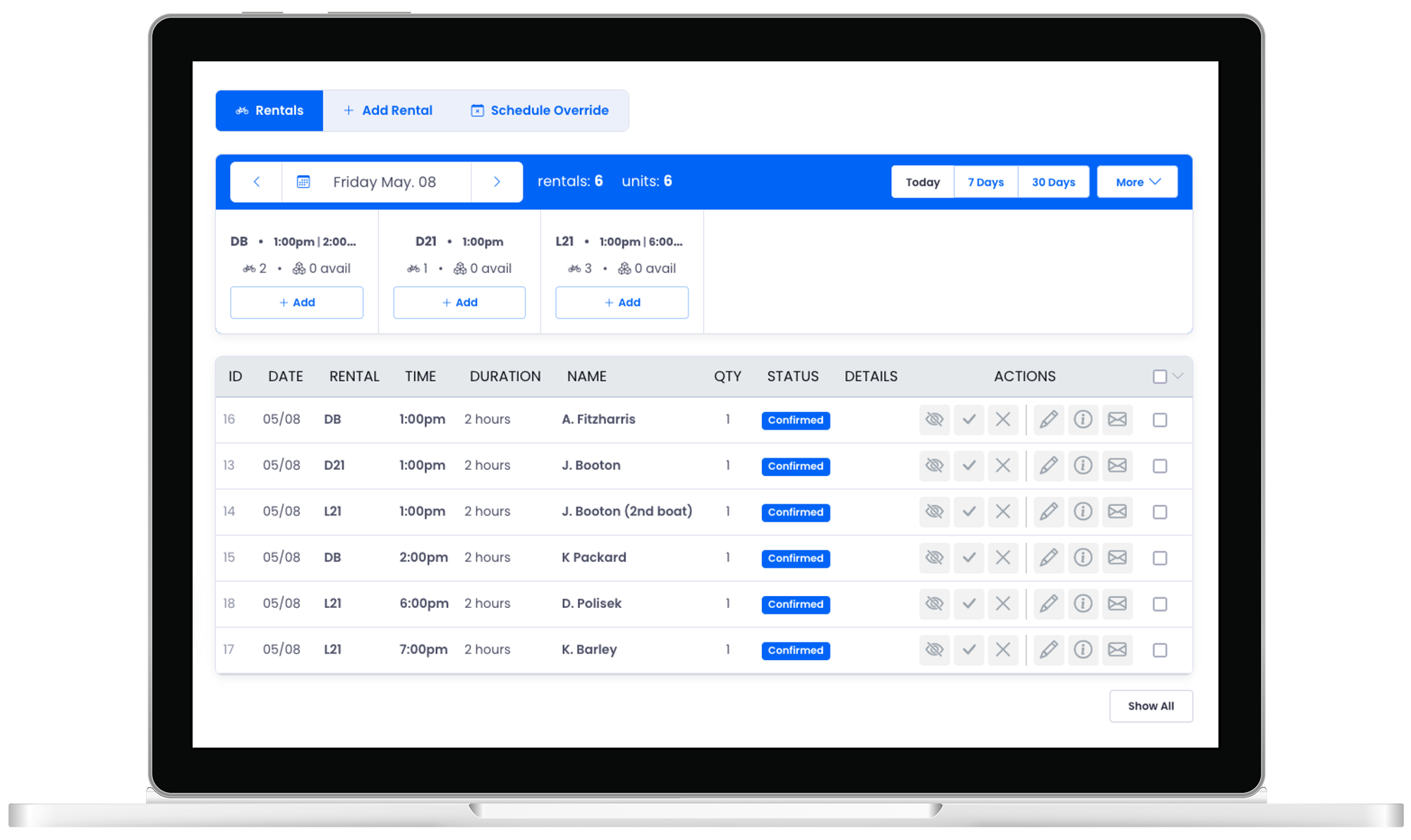
Rental reservations dashboard

Duration-based scheduling

Set durations and let available start times calculate automatically based on your fleet.

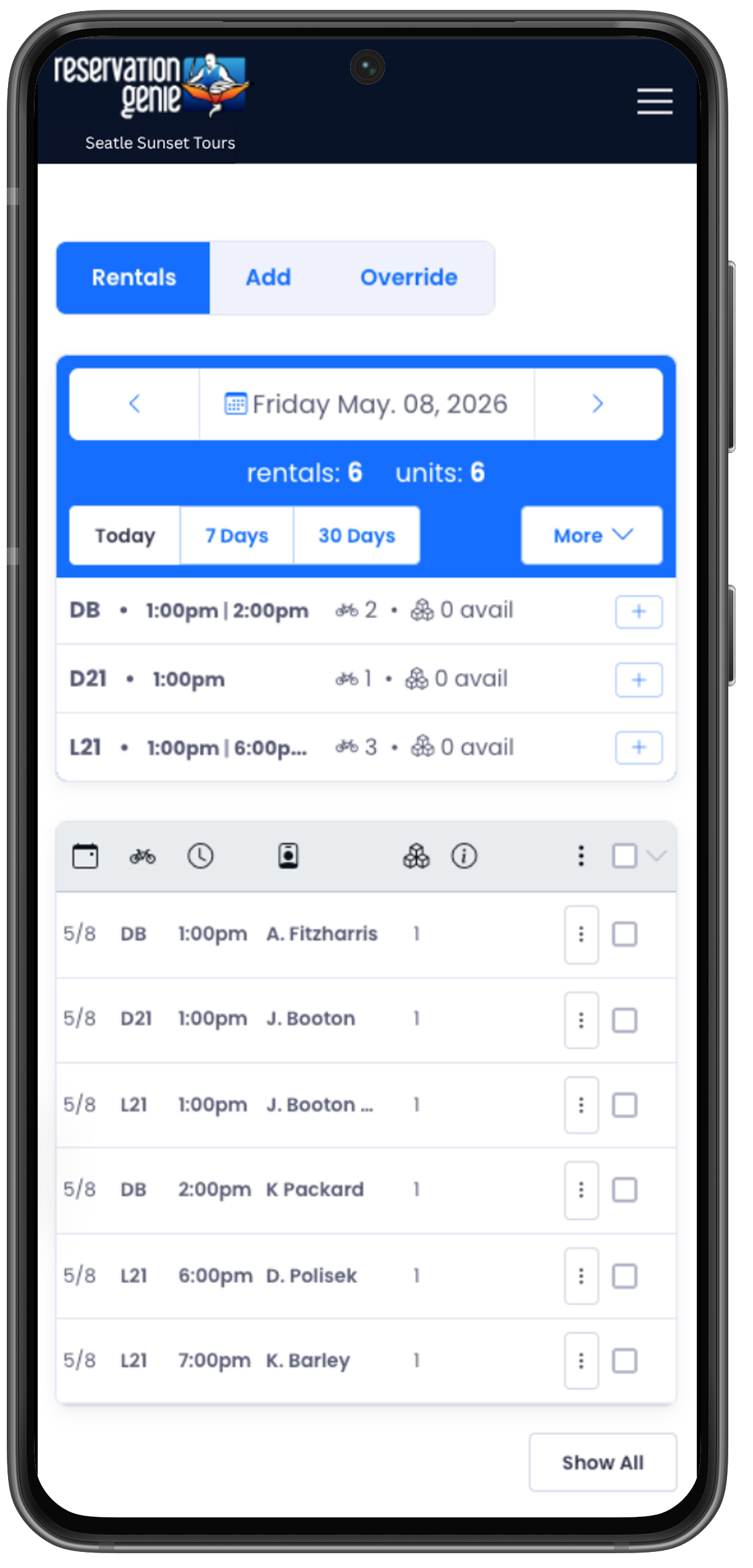
Inventory at a glance

See every rental, booking count, and available units in a single dashboard view.

Invoices & refunds

Send invoices, process refunds, and collect balances without leaving the app.

Powerful Management Tools

Everything your rental operation needs.

Manage your fleet, collect payments, and keep guests informed — all from one place built for rental operators.

Operations center

Rental Summary Dashboard

Start every day knowing exactly where your fleet stands. The rental summary grid shows each rental item as a card — at a glance you see the booking window, how many reservations you have, and how many units are still available. Click any card to filter the table to just that rental, or hit the quick-add button to drop a new booking right in.

Per-Rental Cards

Each rental item gets its own card showing its name, active time window, reservation count, and units available.

Click-to-Filter

Tap any rental card to instantly filter the reservation table to just that item — no dropdowns, no extra steps.

Quick-Add per Rental

Each card has an "Add Reservation" shortcut that pre-selects the rental for you.
Rental summary dashboard
Bulk operations
Efficiency

Bulk Operations

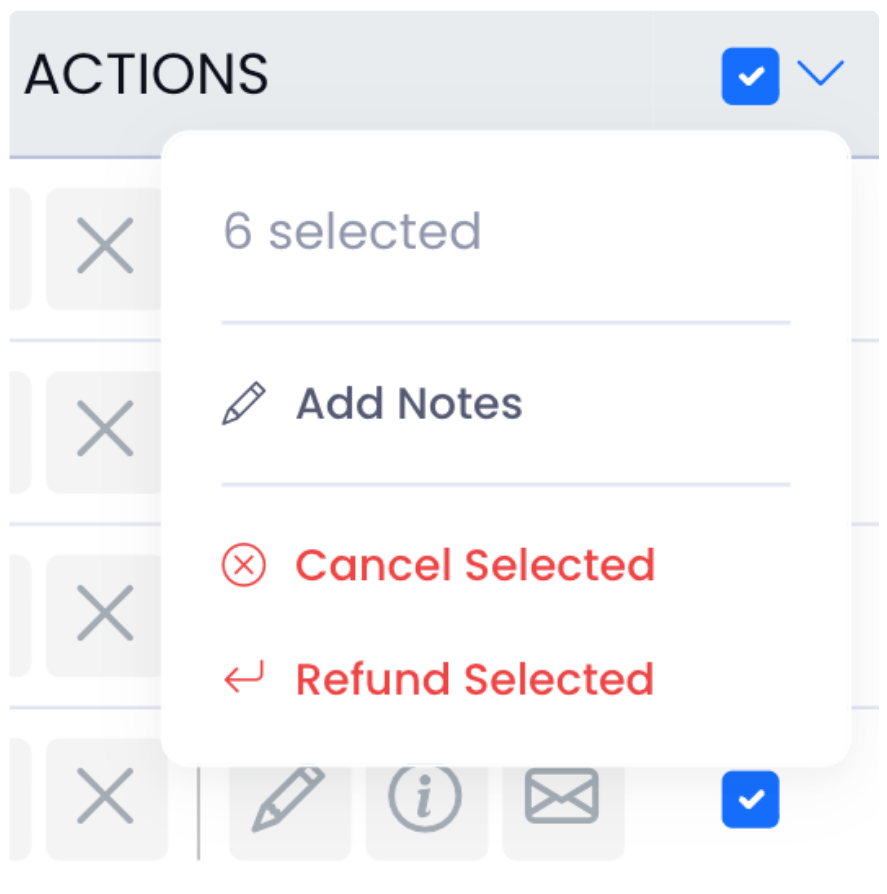
When weather or circumstances force a change, handle your whole group at once. Select multiple rental reservations, then bulk add a note, cancel them all, or process refunds for everyone in a single action — with notifications sent to every guest automatically.

Add Note Cancel All Refund All
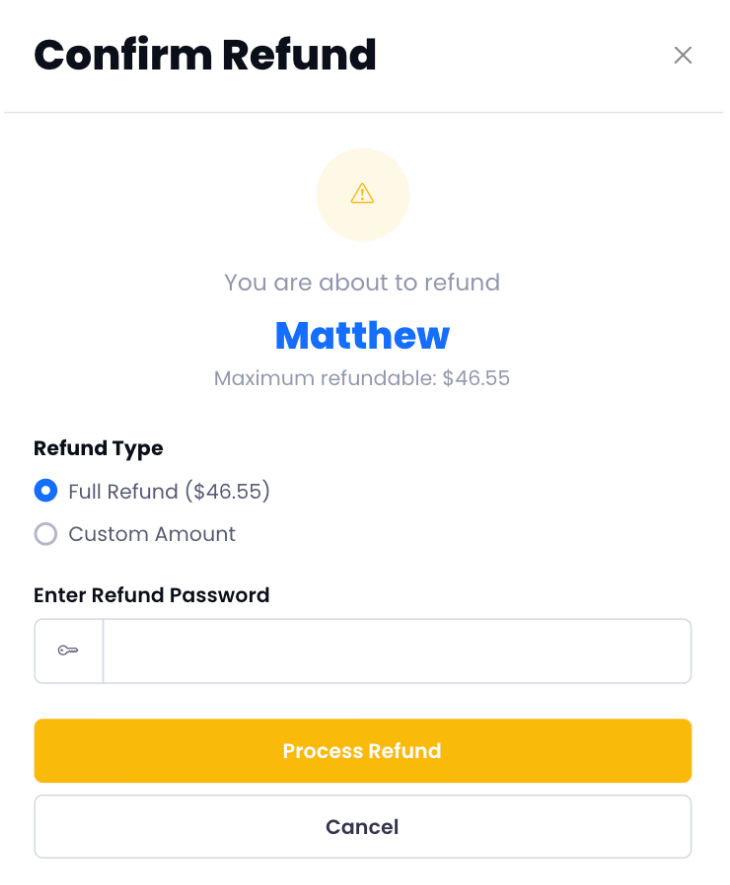
Confirm refund modal
Settle

2-Click Simple Refunds

Process full or partial refunds in seconds without leaving Reservation Genie. Guests are automatically notified via email and text with a note letting them know the refund is on its way and to expect it within 3–5 business days.

100% Integrated
< 1 min Avg. processing
Direct bookings

Turn Walk-Ups & Phone Calls into Paid Bookings

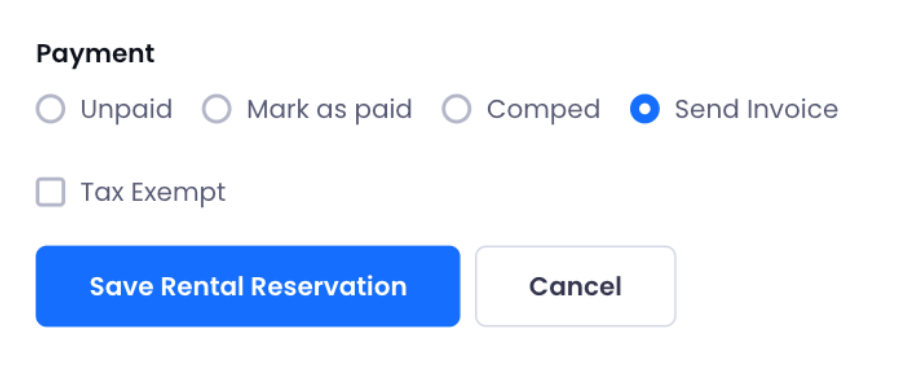
Skip the card reader and the paper form. Add the rental reservation, hit "Send Invoice", and a payment link goes straight to the guest's phone via email and text. They tap and pay in seconds — card already saved on their phone.

Once they complete payment, their confirmation arrives automatically. You just watch the ticket icon flip from yellow to green.

SMS payment link Email invoice Auto-confirmation on pay
Send invoice form

Plus

More tools you'll actually use.

Beyond the headline — the smaller wins that quietly stack up.

Status Management

Confirmed, Completed, No Show, Cancelled — one-click status updates from the table row on desktop or the action sheet on mobile.

Guest Notifications

Auto email + SMS on creation, update, invoice, and status changes. Resend any notification in one click if a guest says they never received it.

Print Sheets

Print-friendly daily rental sheets showing rental, time, duration, guest name, quantity, and status. Clean, landscape-optimized for front-desk use.

Filtering & Search

Search by name, email, phone, or reservation ID across your entire rental history. Filter by rental type, date range, or status in seconds.

Promo Codes

Discount codes apply directly in the rental booking flow. Usage limits, expiry dates, and per-rental restrictions all supported.

Gift Cards

Gift card redemptions tracked inline with every rental reservation. Balance, amount used, and remaining credit all visible in the payment summary.

Ready to Streamline Your Rental Operations?

Join operators who manage their fleet, payments, and guests without the spreadsheet headache.